Daily Driving Linux: 2 Years Later
Two years ago, I decided to switch from Windows to Linux. Read below about my experience using Linux as a daily OS.
Background
In my last year of high school, I suddenly thought of building my own PC. I have no idea how I did not come up with the idea earlier, but oh well, it is never too late.
As I was looking at tons of videos about PC building, YouTube started to recommend Linux videos, and I stepped into the rabbit hole of Linux videos from Mental Outlaw, SomeOrdinaryGamers, Titus Tech Talk, The Linux Experiment, and the list goes on!
But ultimately, what made me switch is actually… The Windows 11 Update.
I was already annoyed enough last time when there was the Windows 10 update. And now Windows 11 with the added telemetry? The security flaws? And please, let’s not talk about Recall. I was like — this is the last straw. Therefore, I flashed a Linux distro ISO onto my USB.
Choice of Distro
Now, here is the question: Which distro?
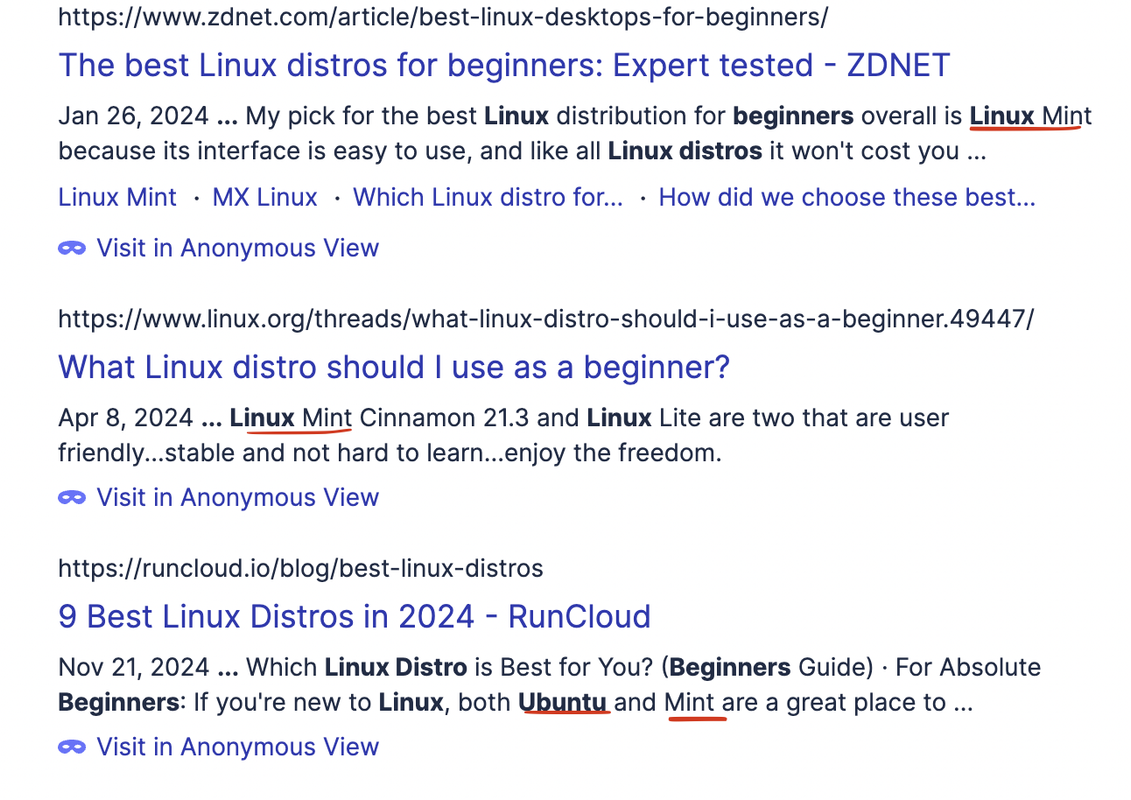
As you can see, when you look up “Linux Beginner Distros”, most of the search results mention Linux Mint, Ubuntu and in some cases even PopOS.
As a beginner, I felt like the choice of distro mattered. Yes, if you are experienced enough to truly customize a distro and make it your own, no matter which one you used, well, good for you. But for me, I looked up “Linux Beginner Distros”.
I got the classical responses of Linux Mint, Ubuntu, and even PopOS. However, I did not opt for any of these. Even though I was a beginner, I wanted to challenge myself as I love learning new things, and I don’t mind having a steep learning curve. That’s where I stumbled upon Arch Linux.
It sounded great with the “no bloat” narrative and a good distro to challenge myself to use a terminal and learn Linux commands. On the other hand, I was building my PC on a school break, and right after the break, I would have a lot of assignments, exams, etc. So, I wanted something that still would work out of the box.
Yes, there is archinstall, but I would like to do the manual experience in order to learn much more. I just didn’t choose to do it that time because I am a very curious person: I can't just follow instructions; I need to know why I am doing this specific command, what exactly it is, and how it does it. So I knew it would take too much time.
So, ultimately, I opted for EndeavourOS, an arch-based distro.
Installation & Maintenance
So, how was the installation process?
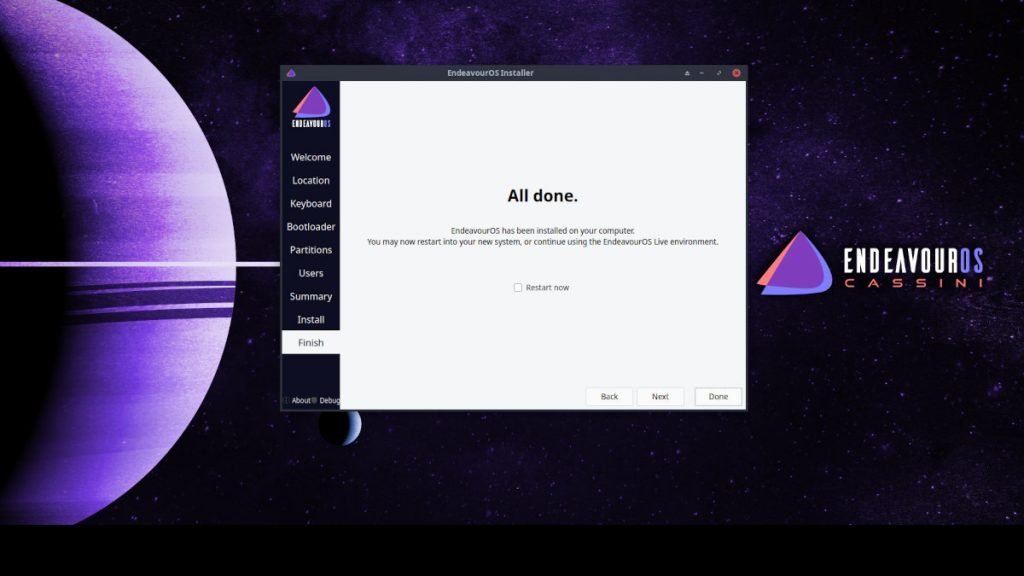
Image from DebugPoint.com for visualization purposes
It was pretty smooth. Yes, I was confused about certain options, so I had to look them up and look at various forum posts to get an idea. I also didn't really know what DE to choose and if to choose grub or systemd, but I eventually chose KDE and systemd.
The Welcome Menu was helpful, and I followed “A complete idiot’s guide to EndeavourOS Maintenance” by fbodymechanic on EndeavourOS’ forum. I updated mirrors, fixed package cleanup, etc. I even dealt with orphan packages. I set up the firewall and got Timeshift and Back in Time for backups.
It took some time to fix the printers; I had to try four different methods, but eventually, it worked through cups on localhost.
Packages
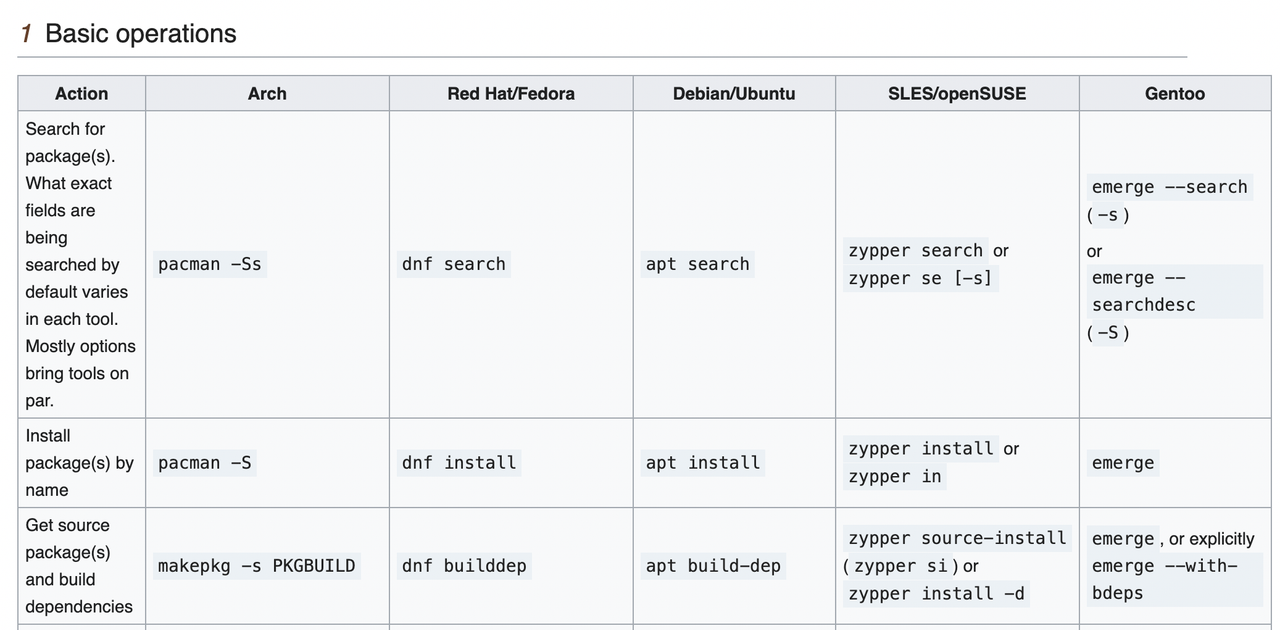
Pacman Rosetta on Arch Wiki
As for installing various programs, it went smoothly. I immediately brought up the Pacman Rosetta article from the Arch wiki and started learning the various commands to install, remove, and get info about the packages.
I installed Brave (let’s talk about browsers in another post), Discord, Notion (which doesn't work anymore), Spotify, and Steam. I also downloaded LibreOffice, but I only wanted the word processor, so the obligatory bundle was annoying.
On top of that, I downloaded Thunderbird, which I later removed because I had the problem of numbers being emojis in both Thunderbird and Brave. I managed to fix it for Brave through a config file for fonts.
The Linux Gaming Experience
Now, how was the gaming part?
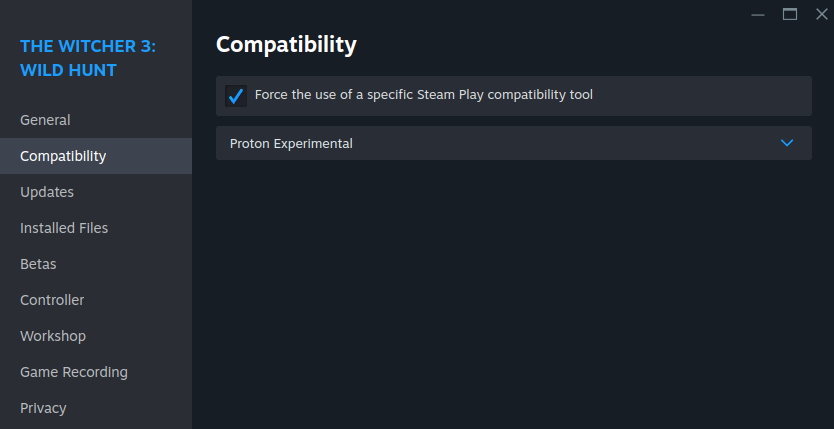
On your Steam library, right-click the game, click on properties, and in the Compatibility tab, you can turn on the Proton compatibility layer.
Honestly, I just followed some gaming guides on the EndeavourOS forum and installed all the necessary packages, including WINE and Vulkan. All of my Steam games except one works through the proton compatibility layer. Sometimes, I have to switch the proton version, but otherwise, it works. By the way, Protondb is a helpful site for checking if your games work on Linux.
I also got Lutris with EA working in order to be able to play Sims 4. I had an issue where EA did not work for a while, but after reinstalling it, it worked again.
For a Windows game, I had to send the installer from my laptop to my PC, and first, it worked through Steam by following another guide. Later, it stopped working, so I did it through Lutris, and it worked, but then it stopped working. So I used Bottles, which worked but later stopped working again. But after two months of updating packages on my PC, the game works again on Bottles. So, the process can get annoying sometimes.
Any Other Troubles?
As for any issues, they have not happened a lot to me. Small issues such as Meld crashing or login screen freezing were solved by updating or rebooting.
The biggest issue was probably when I, in December last year, made the foolish mistake of forcingly shutting down my computer DURING an update install.
Because when the computer rebooted, EndeavourOS was not on the boot menu. It kept going to my BIOS. HOWEVER! With the help of looking at various Reddit and EndeavourOS forum posts:
- I flashed on ISO onto my USB,
- I booted into it,
- I had to mount my boot folder from my hard drive,
- And I chrooted for the first time!
I had to kind of mesh all the info I gathered from all the sites I went to because it wasn't a fit-all-size kind of approach, so that's where I had to experiment. And voilà, I chrooted and did a new update, and then I could boot into the fallback version. Then I found out I had to reinstall the kernel, and then I was able to boot into my normal system again. Phew.
And yeah, that’s it.
My Thoughts
Do I recommend switching to Linux? I am going to be annoying and say it depends.
If you are a tech-savvy person willing to learn to use a whole new OS and don't have any essential programs you depend on, like Photoshop, Excel, etc., I recommend it. Personally, my PC is for my gaming and leisure, as well as my coding hobby, whilst I work and study on my Macbook with Excel, etc.
However, for people who want things to work out of the box and are not generally tech-savvy, I just don't think Linux is there yet. I think the general fact that you cannot install a program like you usually do in Windows will throw many people off. People are not going to be willing to look up a guide on how to make their games work. That’s just the reality; people want their system to serve everything to them and not really have to look anything up and manually do something, which is fair.
But I love Linux, and I am very happy with my distro of choice, which is EndeavourOS, which I probably will not switch from for a while. One thing is clear, though: I am definitely never going back to Windows.